¶ Social Encryption™
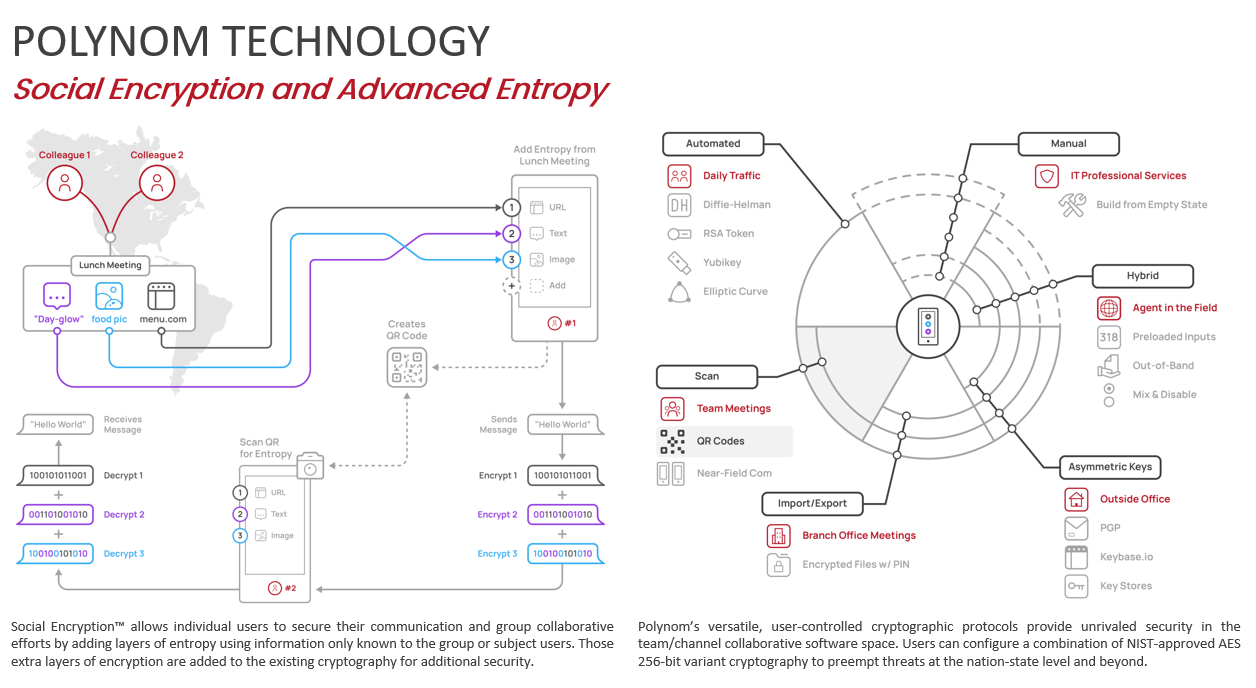
Social Encryption™ (SE) is a quantum-resistant technology that allows one or more people to communicate with end-to-end encryption (E2EE) across a network without exchanging keys over that network. Instead of traditional network key exchanges, Social Encryption uses a symmetric key derived from shared sources of entropy: passphrases, files, images, or any other offline or online data that the participants already have access to.
By drawing on shared knowledge and experience, Social Encryption leaves no network trace. The network has no way of knowing that a shared key exists or that any secure data has been exchanged between parties.
Social Encryption is a rolling cipher algorithm, meaning each entropy line is derived from a separate source and compounded into a final AES-256-GCM shared key used for E2EE. Social Encryption Keys are identified across the network using a SHA-512 hash derived from an HMAC (hash based message authentication code), allowing participants to know which Social Encryption Key to use for decryption without revealing any of the underlying entropic data.
Social Encryption Keys are also the foundation of Quantum Rooms, Polynom's quantum-resistant ephemeral rooms.
Example: Alice asks Bob if he still has a photo they took together on holiday last year. He does. She then asks if he remembers the name of her favorite restaurant. He does. They each add these two items to Polynom's Social Encryption engine and can now communicate with fully encrypted messages that are unique to them alone, with no key ever transmitted over the network.
¶ What is a Social Encryption Key?
A Social Encryption Key is a symmetric encryption key derived from sources of entropy that only you and your intended recipients know. Social Encryption Keys are created and managed entirely by you, exist only on your device, and are never transmitted over any network.
Social Encryption Keys are the mechanism behind several of Polynom's most powerful privacy features. They are used to encrypt Socially Encrypted Rooms, to create and access Quantum Rooms, to add a user-controlled layer of encryption to Call Rooms, and to encrypt Sticky Notes. Any content encrypted with an Social Encryption Key is indecipherable to anyone who does not possess it, including Server Admins and even yourself.
¶ How to Create a Social Encryption Key
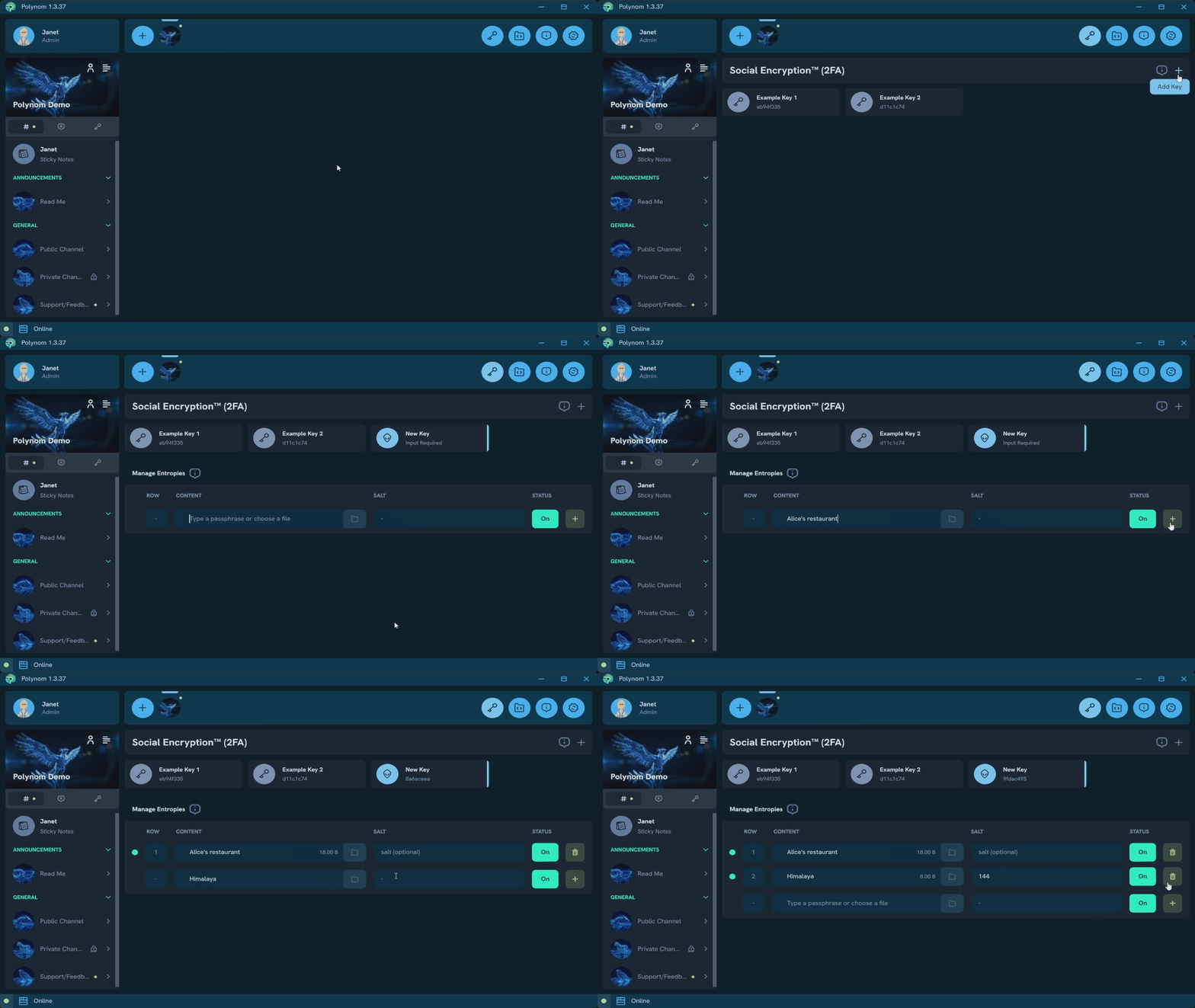
The best way to understand Social Encryption Keys is to look at Example Key 1 in your Polynom client. Click the Social Encryption button in the Toolbar, select Example Key 1, and read through its entropy entries to get a feel for what kind of data can be used. Note that more entropy lines do not necessarily produce a stronger key. A single file or image is sufficient to generate a strong key.
To create your own SE key:
- Click the + Add Key icon, give your key a name
- Optionally, assign a glyph, emoji or image to the key for easier identification
- Optionally, add a description to the key
- Click Create
- Click the new key to open it and begin adding entropy
- Browse to a file or image on your device to use as an entropy source
- Optionally, enter something in the Salt field for additional entropy
- Click Add Entropy to add another entropy line if desired
- Click Update to save and finish your key
The process works the same way on mobile, though some screens are combined into a single view.