¶ Securing your Polynom server
Polynom offers a wide range of security settings, giving administrators fine grained control over access and risk. This page walks through the key decisions to make when setting up a Polynom server for the first time. It is not a step by step technical guide. For the installation walkthrough, see the Server Quick Start. Read through the whole page before making any decisions, as each setting influences the others.
¶ Step 1: Set Up Your Server Admin
A new Polynom server instance always starts in Private Mode, meaning no one can connect until they are on the Whitelist. Before starting your server for the first time, make sure at least one Server Admin has been configured on the host machine. Without this, you will be locked out of your own server.
¶ Step 2: Public or Private Mode?
Private Mode requires you to manually add each user's hash to the Whitelist before they can connect. This is appropriate for servers with strict access requirements, but carries a significant administrative overhead.
Public Mode allows anyone with the server address to connect and will automatically assign them the Default Role. For most servers, switching to Public Mode after initial setup is the right call.
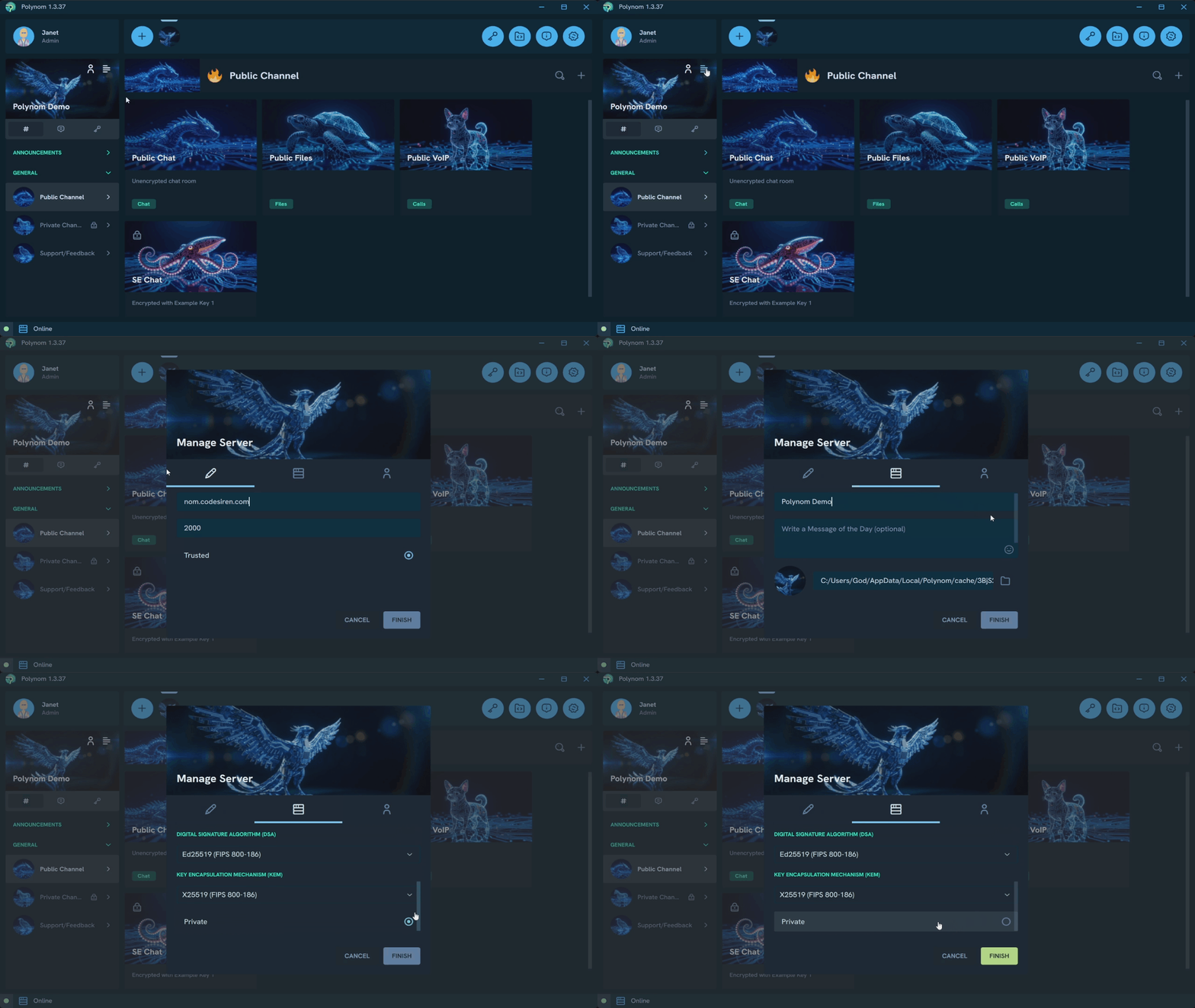
To change this setting, open the Manage Server popup and toggle the Private setting.
¶ Step 3: Trusted or Untrusted Mode?
In Trusted Mode, clients can connect to your server without any additional verification steps. This is the default and is appropriate for most servers.
In Untrusted Mode, each user must manually add your server's hash to their client when connecting. This adds a layer of verification but creates additional friction for every new user. Only consider this setting in situations with a high security requirement.
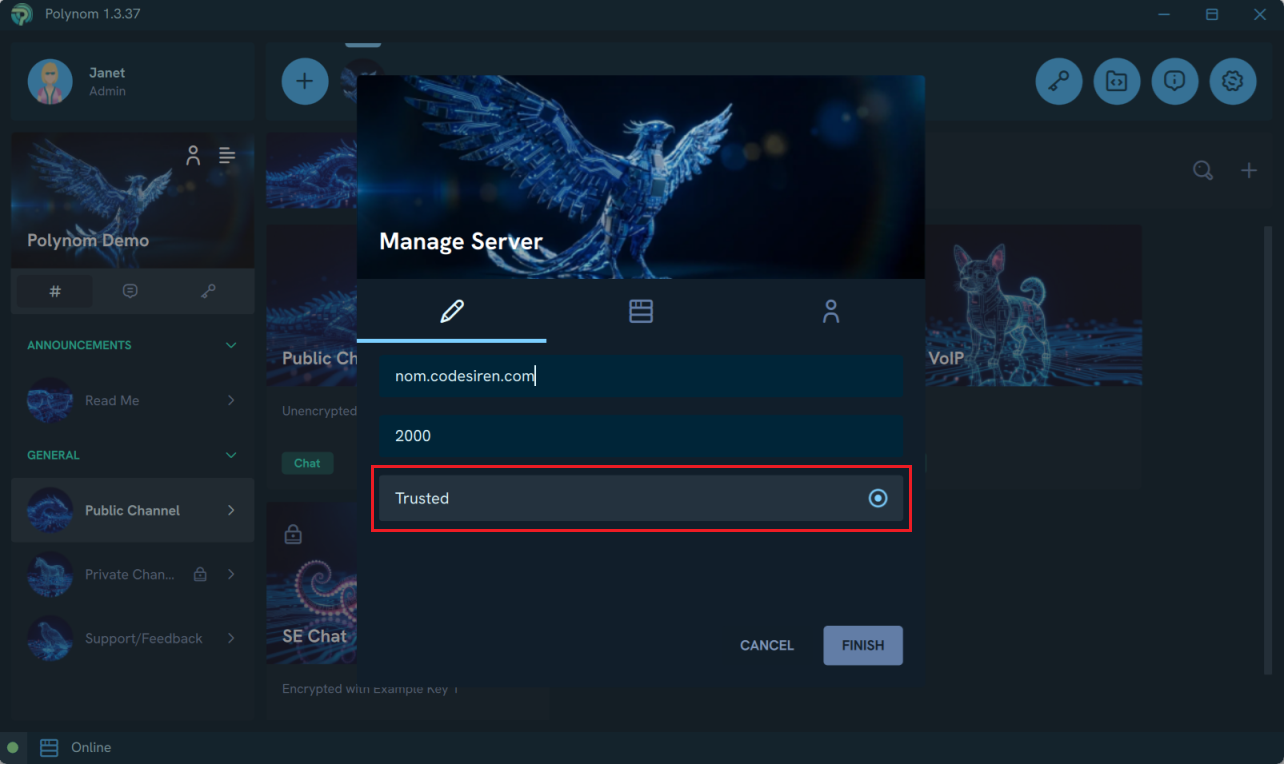
To change this setting, open the Manage Server popup and toggle the Trusted setting.
¶ Step 4: Configure Role Based Access Control
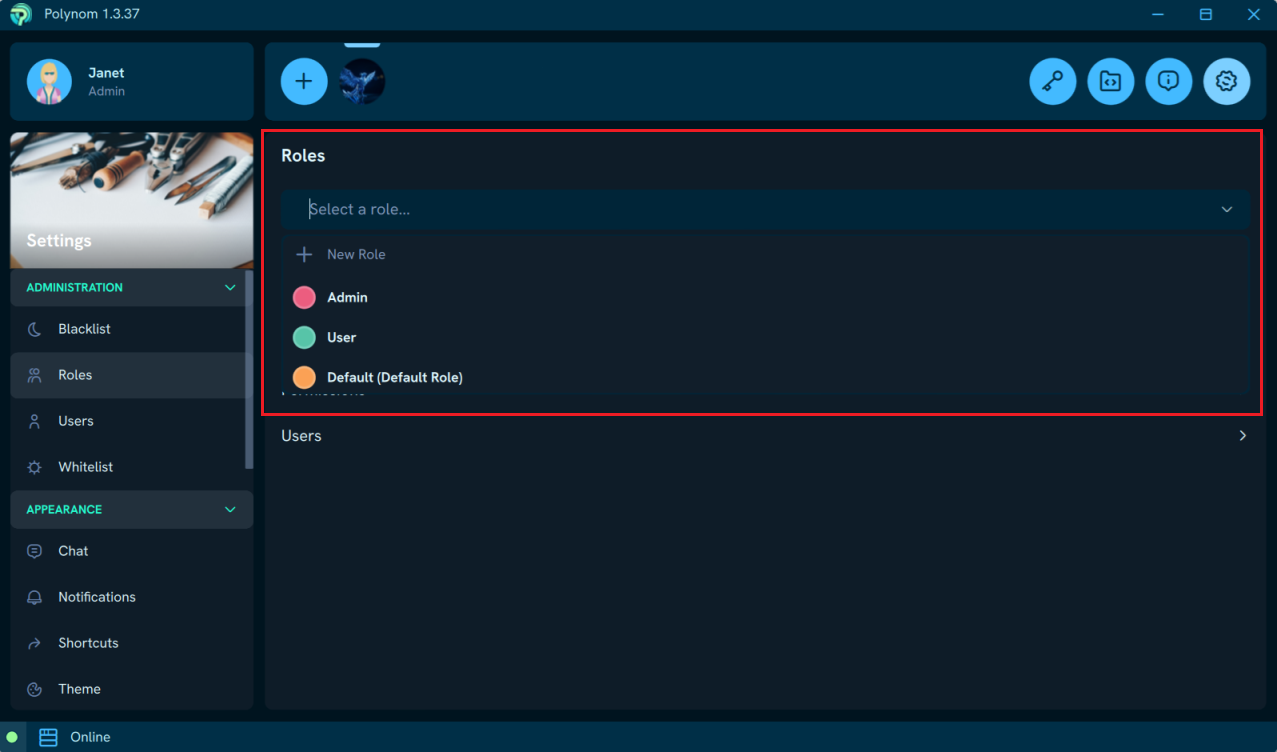
Roles serve three purposes in Polynom: granting Permissions to perform actions, controlling access to Channels, and restricting what users can do through Permissions and Limits. Used together, they give administrators precise control over what users can do and where they can go on the server.
A few things worth keeping in mind when configuring Roles for the first time:
Review the Default Role before going public. The Default Role is what every user on a server receives before being assigned anything else. Locking it down to minimal permissions means that new users arriving on a server have limited access until an administrator assigns them a more appropriate Role.
Review the bundled Admin and User Roles before assigning them. Both come preconfigured with a set of permissions, but these should be reviewed and adjusted to match your server's specific requirements before being assigned to anyone.
Consider creating access only Roles. Roles do not need to carry any permissions at all. A Role with no permissions but with access to a Private Channel is a clean way to manage who can see sensitive areas of your server without granting them any additional capabilities.
Permissions are cumulative. A user assigned multiple Roles inherits the combined permissions of all of them. This gives administrators flexibility in building out a tiered access without needing a Role for every possible combination.
For a full reference of all available Permissions, Limits, and bundled Role configurations, see the Server Roles page page.