¶ The User List
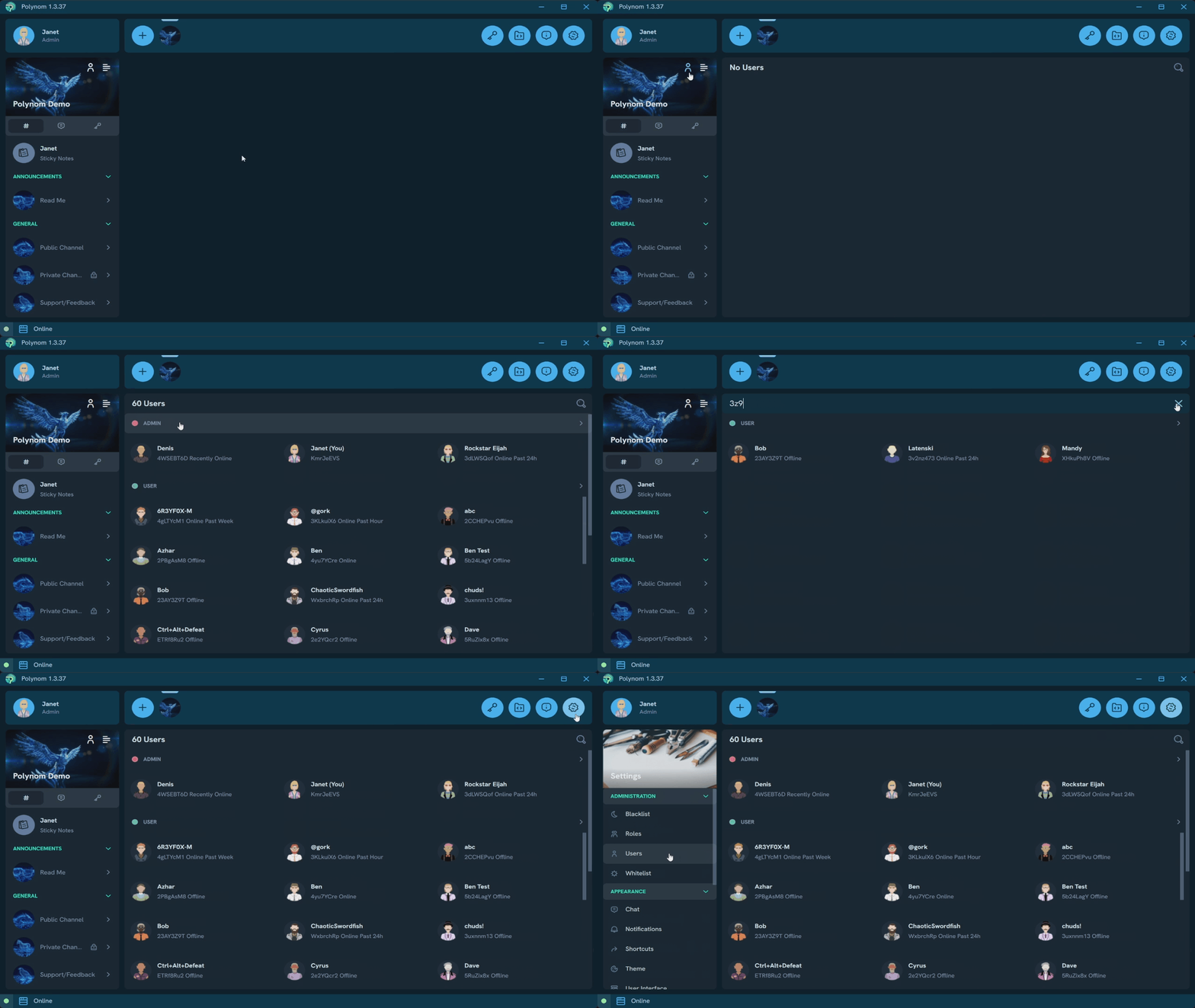
The User List shows all Users on the server, grouped into categories based on each User's single highest tier Role - the Role with the greatest number of permissions enabled. Role categories can be expanded and collapsed the same way Channel categories can in the Channel List.
The User List is accessible via the Users button above the server tabs, next to the Server menu button. It can also be found in Settings under the Administration section.
¶ Searching the User List
The User List includes a search feature that lets you filter Users by name or by their Hash. See Searching for more detail.
¶ Last Online Status
The User List displays a Last Online status for each User, showing their last time they were active on the server. Possible statuses are:
- Online - Currently active
- Online Past Hour - Last active within the past hour
- Online Past 24h - Last active within the past 24 hours
- Online Past Xd - Last active X days ago
¶ Managing Users
Users with the Manage Users Permission can delete Users from the User List. Doing so removes the User from the list for everyone until they become active on the server again. This allows administrators to keep the User List tidy by removing Users who are no longer active or permitted on the server.